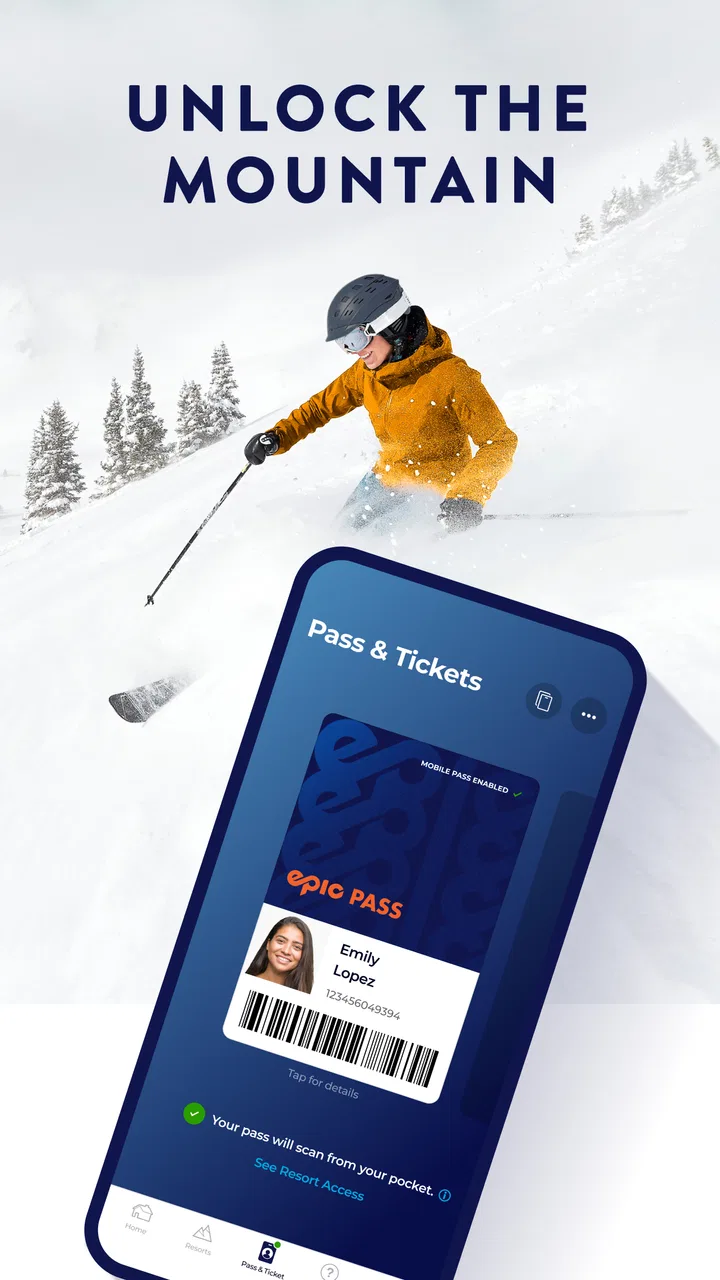
My Epic: Skiing & Snowboarding
- 3.7
- Rating
- 500.00K
- Installs
- Free
- Price

 Analysis by App-foxy
I tried My Epic as a mountain companion rather than treating it like a general weather or fitness app. That distinction matters. It is a sports app from The Vail Corporation, built around the Epic mountain experience, so its usefulness depends heavily on whether you spend time at the resorts and activities it supports. For the right skier or snowboarder, it can bring trip planning, on-mountain information, and day-to-day convenience into one place. For someone who simply wants independent snow reports or a universal tracking tool, the value is less obvious.
The app is free, carries an Everyone age rating, and has been available since January 20, 2011. It has reached over 500 thousand installs and holds a 3.7 average from around 12 thousand ratings, with roughly 3 thousand reviews. Those figures tell me that it is established enough to have a substantial user base, but the middling score also suggests that the experience may vary depending on device, location, expectations, and how deeply someone uses its resort-specific tools.
What My Epic is useful for on a ski trip
The clearest way to understand this app is as a digital layer around a mountain visit. Instead of opening separate tools for resort information, planning, and practical updates, I can use one sports-focused app as a central starting point. Its store summary describes it as a way to unlock the mountain and improve the experience, but in everyday use I would judge it less by that slogan and more by whether it reduces the small bits of friction that appear before and during a snow day.
You May Also Like

 Blood Strike: 2.5 Anniversary
Blood Strike’s Loadouts Turn Every Drop Into a Tactical Gamble
A close look at Blood Strike’s custom loadouts: how fast access to signature weapons reshapes its battle royale rhythm, rewards preparation, and narrows the gap between fights.

 Pandora - Music & Podcasts
Pandora’s Music Is Easy to Start, but Harder to Recover
Pandora’s strength is its low-effort path from a seed to a station. Its weak spot is how much confidence it asks you to place in connection, setup, and quiet recovery.

 8 Ball Pool
 Is Built on Rivalries, Rematches, and Routine
A close look at the rivalries, rematches, shared routines, and unanswered safety questions that turn a quick pool match into a persistent mobile community.

 Samsung Music
’s Quiet Strength Is Playing What You Already Own
Its reach comes less from spectacle than from dependable access to a personal library. That simplicity is both the app’s strongest retention engine and its ceiling.

 AccuWeather: Weather Radar
AccuWeather Review: A Quick, Clear Forecast for Everyday Decisions
For everyday plans, the best forecast is the one you can understand quickly. AccuWeather makes rain timing, radar, and local conditions easy to act on, with a few trade-offs.

 Hill Climb Racing
Why Hill Climb Racing Still Turns Crashes Into One More Run
A tiny car, a bumpy hill and one more upgrade: Hill Climb Racing keeps resurfacing because its simple chaos makes every near-miss feel personal.
More From Our News Desk



That makes it different from a simple forecast app. A weather service may be better for comparing conditions across an entire region, while a trail-focused or mapping app may offer broader coverage across many independent mountains. My Epic makes more sense when the mountain itself is the center of the trip. I would open it while deciding where to go, check it again before leaving the accommodation, and keep it available during the day for resort-related information.
One practical scenario shows where it fits. Imagine I am staying near a resort for a weekend, with one experienced snowboarder, one occasional skier, and a child in the group. Before breakfast, I want to confirm the plan for the day without passing around several screenshots or switching between unrelated services. During the day, I may need to check information again when the group splits up. In that situation, a dedicated resort app is more convenient than relying only on a browser search, even if I still use a separate weather service for broader forecasts.
The app is also more useful when I prepare before arriving. I would install it on a reliable connection, sign in if the current experience asks for an account, and explore the relevant mountain sections before standing outside in gloves with a weak signal. That preparation is not glamorous, but it is one of the most important habits with any resort companion app: the phone should be a backup for decisions, not the only place where the day’s plan exists.
How the free price changes the decision
There is no purchase price to weigh up here: My Epic is free. That makes the initial decision easy for anyone already visiting a supported Epic destination. I do not need to justify a subscription or a one-time payment before discovering whether the app suits my routine. The real cost is attention, storage, battery, and the time spent setting it up before a trip.
Free access does not automatically make every feature valuable. If I only ski once, already know the mountain well, and have a preferred weather and navigation setup, the app may add little. On the other hand, a free resort-specific tool can be worthwhile even when I use only a few parts of it. A guest who checks it before departure and once during the day may still save enough searching and coordination to make installation sensible.
I would be careful not to interpret “free” as a promise that every possible resort service or account-related benefit is included without conditions. The price fact is clear, but the practical value still depends on the destination, the information available at the time, and how much of the trip I want managed through the app. That is why I see it as a no-cost convenience rather than a complete replacement for every other mountain resource.
What I would check before relying on it
The current version is 16.3.0, and the minimum operating-system requirement is 8.1. That is a reasonable compatibility range for many users, but I would still update the phone and install the app before the trip instead of waiting until arrival. Mountain days are unusually bad times to troubleshoot an outdated operating system, a forgotten password, or an app that has not finished downloading its latest content.
I would also check whether the specific resort I am visiting is represented in the parts of the app I need. This is a crucial trade-off with a company-centered resort app: it can be more relevant than a generic tool at participating destinations, but less useful outside that network. If my holiday includes several unrelated mountains, I would compare the coverage with a broader snow-report or mapping service before making the app my only reference.
Another sensible step is to keep essential details available outside the app. I would save the accommodation address, meeting points, transport information, and emergency contacts separately. That is not a criticism unique to My Epic; it is good practice for any app used in a cold, crowded, and sometimes poorly connected environment. The app can support the day, but it should not become the only record of the plan.
Where the experience delivers real value
The strongest benefit is concentration. Ski trips generate many small questions: where to start, what information matters before leaving, how to coordinate with others, and which resort updates are worth checking. A mountain-specific app can put those questions closer together than a collection of general-purpose services. I appreciate that kind of focus because it reduces the need to remember which website or app contains each detail.
It is particularly helpful for visitors who do not know the resort well. Regulars may already have a preferred route, meeting place, and information routine. First-time guests have more uncertainty, and a dedicated app gives them a single place to begin. I would not expect it to remove the need for judgment, especially when weather or ability levels change, but it can make the preparation stage feel less scattered.
Families may also find value in the shared reference point. A group does not have to treat the app as a live command center; even using it before the lifts open can help everyone understand the plan. My useful tip here is to agree on a meeting location that does not depend entirely on a phone screen. Then use the app to support the plan rather than repeatedly sending messages when people naturally separate on the mountain.
For intermediate and advanced riders, the value is more situational. I am less likely to need basic orientation at a familiar resort, so I would judge the app by how quickly it surfaces information that affects the day. If opening it requires too much searching, the convenience disappears. I would organize my use around a few repeatable moments: before leaving, after arriving, and whenever the group changes its plan. That keeps the app useful without turning the entire day into screen time.
There is also a psychological benefit to having a resort-focused tool ready before travel. Planning a snow day can be stressful when conditions, transport, and group preferences all compete for attention. A single app does not solve those problems, but it can give the trip a clear starting point. In my view, that is the most believable form of “elevating” the experience: fewer scattered checks and a more deliberate routine.
Three habits that make it more useful
First, I would explore it before the trip while sitting at home, not at the lift line. I would identify the mountain area I care about, note the screens I expect to revisit, and decide which information should be written down separately. This turns the app from something I merely download into a prepared tool. It also reveals quickly whether the interface matches my needs before I am dependent on it.
Second, I would use it for coordination in short bursts rather than continuous checking. A phone can become a distraction on a ski day, especially when the group is moving and conditions are changing. Checking at agreed moments preserves battery and attention. For a family, that could mean one person reviews the app before departure and everyone confirms the plan at breakfast; for friends, it could mean checking after lunch before choosing the afternoon route.
Third, I would compare its resort information with a separate forecast when conditions are important. A dedicated mountain app may be the better place for resort-specific context, while a general weather source can help me understand the wider pattern, road conditions, or the next day’s travel. Using both is not wasteful if each answers a different question. The mistake would be expecting one free app to be equally strong at every kind of information.
A fourth habit is to avoid judging the app solely by its first launch. Resort tools often become more useful once the relevant destination and personal preferences are set up. I would spend a few minutes learning the navigation, then remove any unnecessary notifications if they become distracting. The goal is not to interact with every section; it is to make the few useful sections easy to reach.
Where the compromises show up
The 3.7 average is worth taking seriously. It is not a reason to dismiss the app, but it is a reminder that a large resort ecosystem can produce uneven experiences. Some users may find exactly the information they need, while others may encounter confusing navigation, slow loading, account friction, or content that feels less relevant to their particular visit. I would approach it with practical expectations rather than assuming the polished idea of a mountain companion guarantees a flawless day.
Another limitation is dependence on context. The app’s usefulness is strongest when I am connected to the Epic mountain experience. If I am comparing independent resorts, planning a road trip across several regions, or looking for a general ski log, a neutral alternative may be more flexible. A weather app can cover more destinations, a mapping service can be broader, and a dedicated activity tracker may be better for personal performance records. My Epic does not need to win every category to be useful, but I would not ask it to.
Screen dependence is another trade-off. Skiing and snowboarding are physical activities, and constantly checking a phone can interrupt the day. Cold temperatures also make touchscreens and battery life less pleasant in practice. I would keep the phone protected, avoid unnecessary repeated checks, and decide in advance what information is important enough to access outdoors. If the app becomes a reason to stop every few minutes, it is working against the experience it is meant to support.
I also would not install it expecting a universal solution for lift tickets, lodging, transport, lessons, equipment, weather, navigation, and group messaging all at once. A resort app can connect parts of a trip, but the overall holiday still involves services and decisions beyond one application. The best experience comes from knowing what job I want it to perform. If that job is “give me a resort-centered digital starting point,” the fit is sensible. If the job is “manage my entire ski life,” the expectations are too broad.
Who should use it and who should skip it
I would recommend trying My Epic to skiers and snowboarders visiting an Epic destination, especially first-time guests, families, and people who dislike jumping between multiple resort pages. Because it is free and rated for Everyone, the barrier to testing it is low. It is also a reasonable choice for occasional visitors who want a prepared reference without committing to a paid specialist service.
Frequent visitors can benefit too, but only if the app saves them time. A regular may already know the mountain better than any digital guide, so the decision should be based on convenience rather than novelty. If it makes pre-trip checks and group planning faster, keep it. If it duplicates information already organized elsewhere, there is no need to force it into the routine simply because it is official to the resort environment.
I would skip it, or at least avoid relying on it alone, if I mostly ski at independent mountains, need broad multi-resort comparison, or want detailed personal training analysis. In those cases, a general snow service, mapping tool, or activity tracker may be the better primary app. I would also hesitate if I strongly dislike account-based resort ecosystems or prefer to keep trip planning entirely offline. The free price removes a financial objection, but it does not remove those preference and coverage issues.
My final recommendation
My Epic is worth trying when the mountain visit is the center of the plan and the relevant resort information is what I need most. The free price makes experimentation painless, and the app’s long availability and substantial install base show that it is not an obscure experiment. Still, the 3.7 average keeps my recommendation measured: I would prepare it before traveling, test the sections that matter, and keep an independent backup for weather, directions, and essential arrangements.
My verdict is simple: download it as a resort companion, not as your only ski tool. It offers the most value to visitors who want one Epic-focused place to organize the day and reduce small bits of planning friction. It is a weaker choice for people seeking universal coverage, deep performance tracking, or a completely offline experience. Used with those boundaries in mind, it can earn a place on a ski-trip phone without pretending to replace every other service.
The app is maintained by The Vail Corporation, and its current release is 16.3.0 for devices running 8.1 or later. For me, those details reinforce the practical conclusion: check compatibility before leaving, set it up early, and judge it by whether it makes your actual mountain routine easier. If it does, the fact that it costs nothing makes keeping it installed an easy decision.
FAQs for My Epic: Skiing & Snowboarding
01What is My Epic: Skiing & Snowboarding?
My Epic: Skiing & Snowboarding is a comprehensive app designed for winter sports enthusiasts. It provides real-time snow conditions, trail maps, and tracking features for both skiing and snowboarding. The app also allows users to connect with friends, compare stats, and explore new resorts, making it an essential tool for planning your next adventure.
02Is My Epic: Skiing & Snowboarding free to use?
The app is free to download and offers basic features at no cost. However, there are premium features available through in-app purchases. These may include advanced tracking, detailed weather forecasts, and exclusive resort information. Users can choose to upgrade for a more enriched experience depending on their needs.
03Which platforms is the app available on?
My Epic: Skiing & Snowboarding is available for both Android and iOS devices. It can be downloaded from the Google Play Store for Android users and the Apple App Store for iOS users. Ensure your device meets the minimum system requirements for optimal performance and functionality.
04How accurate is the weather and snow condition data provided by the app?
The app sources its data from reliable weather services and updates frequently to provide accurate and current conditions. However, weather predictions can vary, and users are advised to verify conditions with local resorts or through additional sources, especially when planning a trip.
05Can I use My Epic: Skiing & Snowboarding offline?
Yes, the app offers offline capabilities for certain features such as trail maps and some tracking functionalities. This is especially useful in areas with limited connectivity. However, features like real-time weather updates and social sharing require an internet connection, so plan accordingly.
Pros
- Intuitive interface for easy navigation.
- Real-time weather updates for ski resorts.
- Detailed trail maps and difficulty levels.
- Community feature for sharing experiences.
- Offline mode for map access without data.
Cons
- Limited free features without subscription.
- Occasional GPS inaccuracies reported.
- Heavy battery usage during prolonged use.
- Some users experience app crashes.
- In-app purchases can be pricey.

My Epic: Skiing & Snowboarding
Gallery